







Built by a dog trainer, for every dog pro.
The operating system for your dog business. Leads, clients and dogs, your schedule, packages and payments, plus a client app for your clients.
For trainers, walkers, sitters, groomers, daycares and boarders.
Say it "Canine Operative OS."
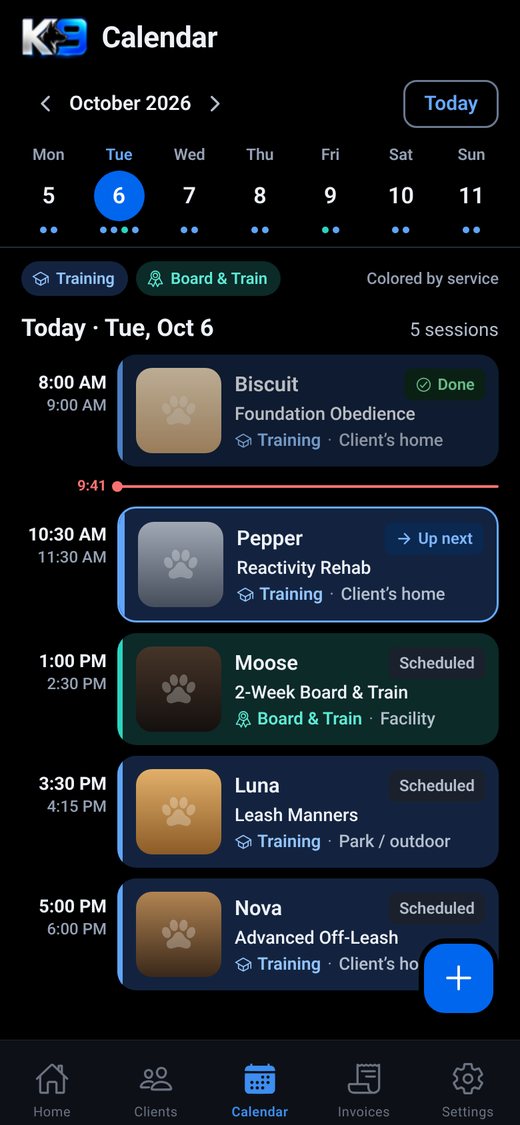
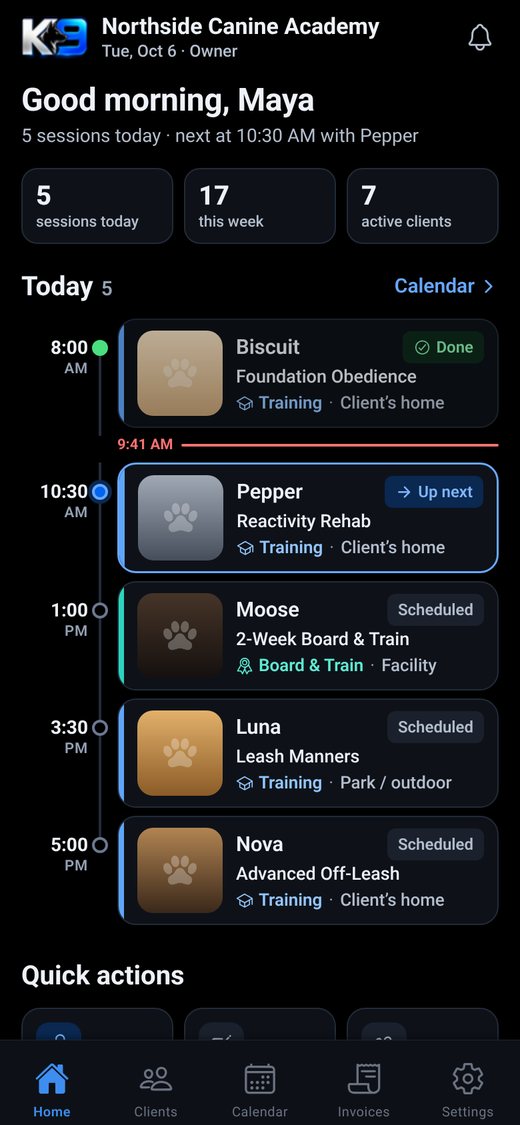
Real app screens, demo data.
Run the business from your phone.
Leads inbox
Every inquiry in one place. Filter, search, spot overdue follow-ups, set reminders and turn a lead into a client in one tap. Add an inquiry form to your website, or send leads in by webhook.
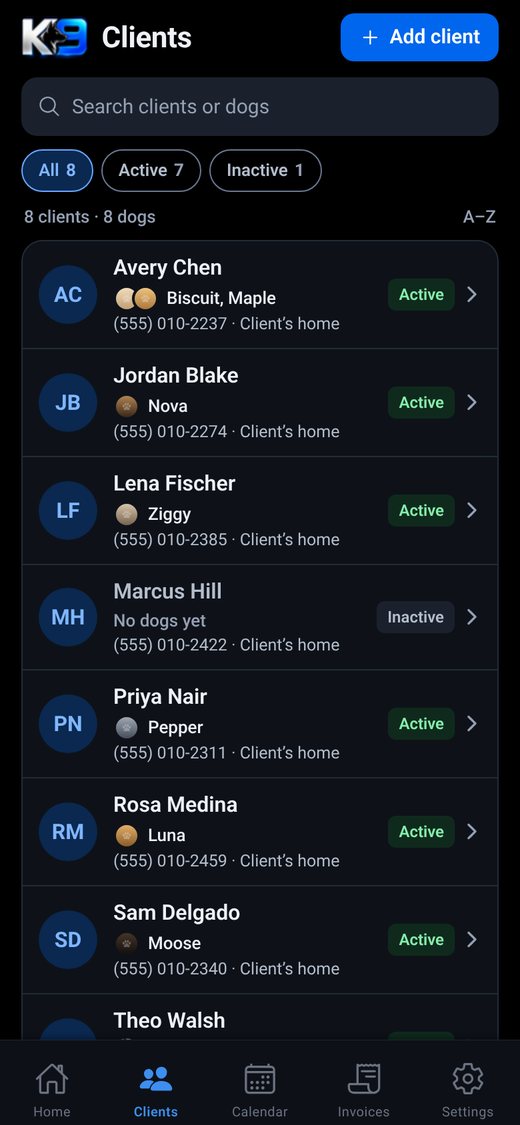
Clients and dogs
Search by client or dog. Each dog has a profile with photos, health and care notes, allergies, medications and vet details.
Your day and your week
A Today screen with what is up next, and a week calendar colored by service. Training sessions and Board & Train in one schedule.
Packages and payments
Sell packages and track sessions used. Clients pay invoices, deposits and packages through your own Stripe account. Pay in full by card, with optional Affirm, Klarna and Cash App Pay. Refunds built in.
A client app for your clients
Clients join your business with a code or invite link. They see appointments and packages, request bookings and pay from their phone.
Homework and video review
Assign homework after a session. Clients upload training videos and you review and comment.
Agreements and e-sign
Build your agreement templates once. Clients read and sign inside the client app.
Vaccination records
Clients upload vaccine records, you approve them, and the app flags anything expiring soon and sends reminders.
Your brand up front
Your business name and logo in the client app. White label options add your colors and welcome message.
Google review requests
Ask happy clients for a Google review straight from the app.
Up and running in four steps.
- 1
Create your business
Download K9OPRTV OS, sign up and pick the services you offer.
- 2
Set up programs and packages
Add your programs, packages and agreements the way you already sell them.
- 3
Connect Stripe
Link your own Stripe account in Settings so client payments go straight to you.
- 4
Invite your clients
Send your code or invite link. Clients join in the client app and you run the rest from your phone.
Plans announced at launch.
Questions from dog pros.
How do you say K9OPRTV OS?
"Canine Operative OS."
When does it launch?
Soon, on iPhone and Android. Join the waitlist to hear the moment it's live.
Who is it for?
Every dog pro who runs a dog business: trainers, walkers, sitters, groomers, daycares and boarders, from solo operators to teams. It was built by a dog trainer who runs a real dog business.
How do I get paid?
Through your own Stripe account, connected in the app (Stripe Connect). Client payments go to your account. Clients can always pay in full by card, and you can turn on Affirm, Klarna or Cash App Pay once Stripe enables them for your account.
What do my clients use?
A separate client app. They join your business with your code or invite link, then see their appointments and packages, upload homework videos and vaccine records, sign agreements and pay.
Can I put my own branding on it?
Yes. Your business name and logo show in the client app, and white label options add your colors and welcome message.
Can I delete my account?
Yes, from inside the app.
Join the launch waitlist.
Be the first to know when it goes live.